Summary
This phase involved learning about databases, how to connect my database and learning some basic SQL
Related Sections/Pre-Reading
Content
What Even is a Database?
So, here’s how I understand a database: basically, it’s like an Excel table, but for websites. Just like an Excel sheet, it’s made up of rows and columns, each holding bits of information. But instead of just being a static spreadsheet on my laptop, a database for a website is designed to be way fancier, storing data online so that it’s accessible anytime the website needs it.
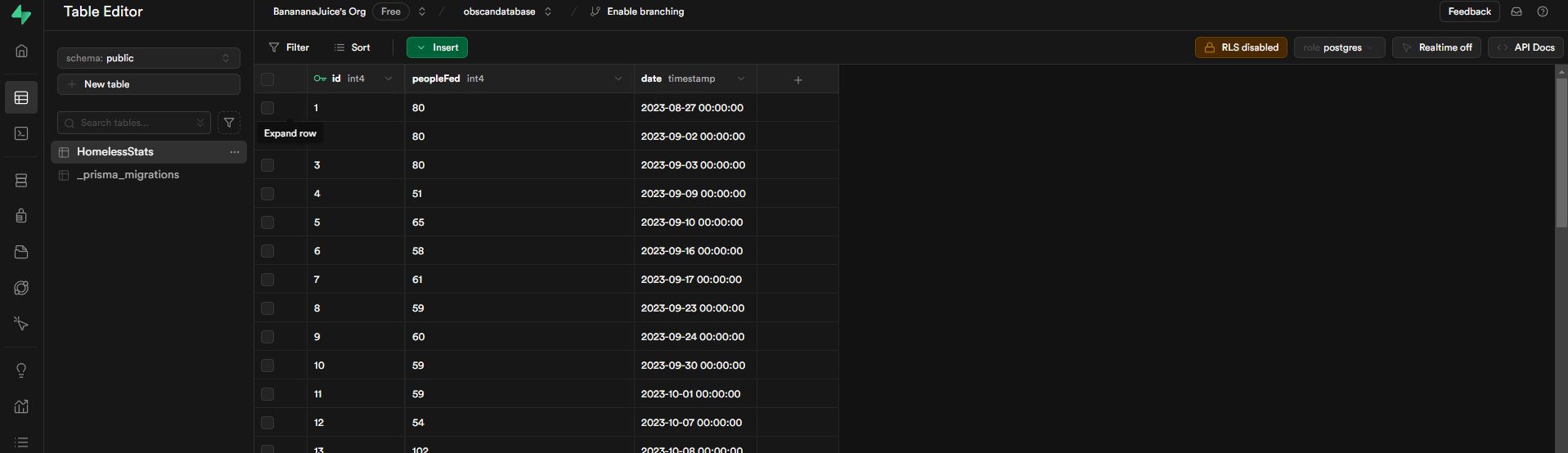
Talking to the Database: SQL
Now, we need a way to talk to this database—that’s where SQL (Structured Query Language) comes in. SQL is the language we use to ask the database questions (or “queries”) like “What’s the total number of people fed last week?” or “Add a new record for this week’s data.” It’s like sending commands in a language the database understands.
Using Prisma to Connect Things
For my T3 stack website, I’m using something called Prisma. Prisma acts as the middleman between my code and the database. It lets me use JavaScript (or TypeScript, in my case) to interact with the database instead of writing SQL queries directly. So, if I want to add new data or pull up records, I can do it right in my code, and Prisma handles the SQL part for me. It’s basically like a translator between my website and the database.
Choosing Supabase
After looking at a few options, I went with Supabase as my database provider. Supabase is like a cloud-based home for my data. It’s designed to work smoothly with modern web frameworks, and it makes managing my data a breeze with features like real-time updates and simple integrations with Prisma. Plus, it’s beginner-friendly and well-documented, which is perfect for me as I learn the ropes!